> ## Documentation Index
> Fetch the complete documentation index at: https://docs.thinkrr.ai/llms.txt
> Use this file to discover all available pages before exploring further.
# Support Ticket System
> How to submit and manage support tickets for Thinkrr-related issues requiring personalized assistance.
### **Overview**
The **Support Ticket System** enables clients, agents, and businesses to contact our support team directly for help with complex issues that go beyond the scope of our online Thinkrr Support Agent.
Before submitting a ticket, we recommend chatting with the Thinkrr Support Agent — it’s completely free and provides instant answers to common questions related to setup, troubleshooting, features, and more. Make sure your microphone is enabled and has the allowed permissions in your browser tab so it can hear you!
If your issue requires personalized attention — such as billing inquiries, integration problems, technical bugs, or setup assistance — our support team is here to help.
### **Details**
Support inquiries can be submitted via:
* **Website:** Thinkrr support page
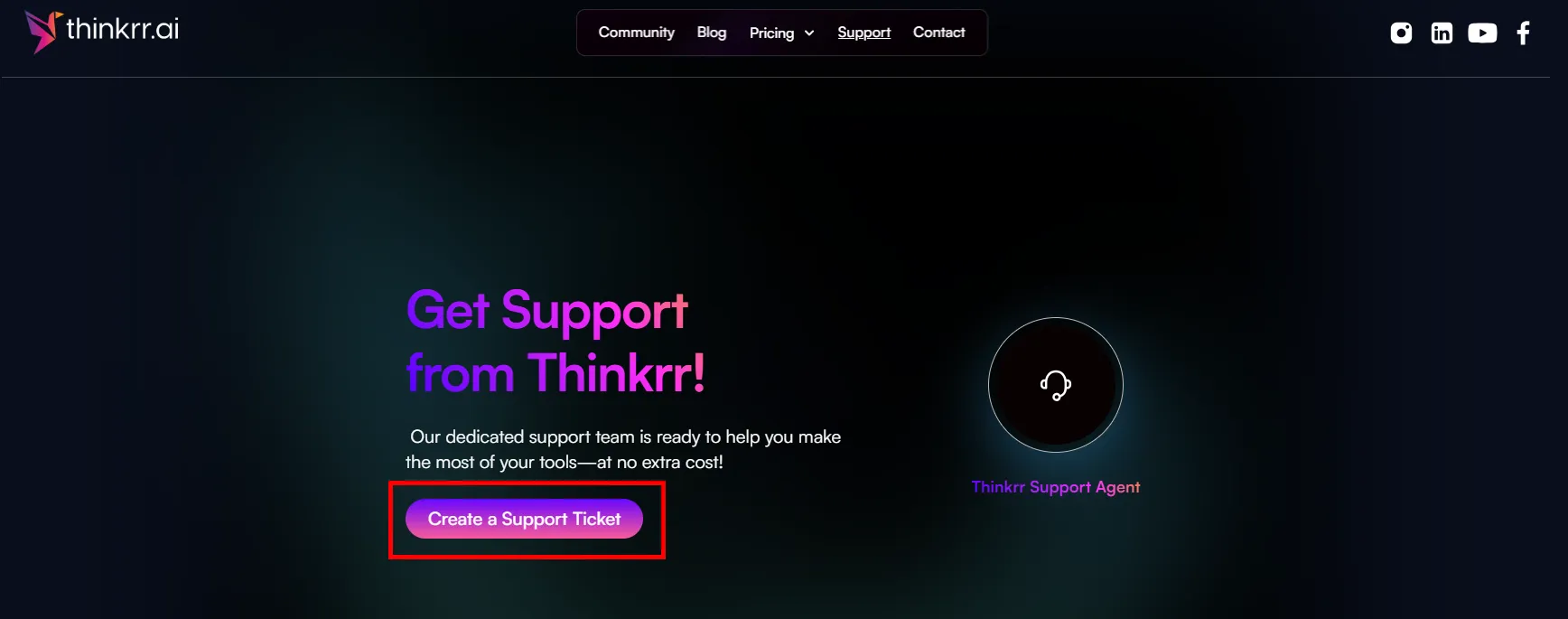 * Or via **Email:** [hello@thinkrr.ai](mailto:hello@thinkrr.ai)
When submitting a ticket through the website, users will be asked to provide relevant information to help us resolve the issue efficiently. The following fields are required:
* Or via **Email:** [hello@thinkrr.ai](mailto:hello@thinkrr.ai)
When submitting a ticket through the website, users will be asked to provide relevant information to help us resolve the issue efficiently. The following fields are required:
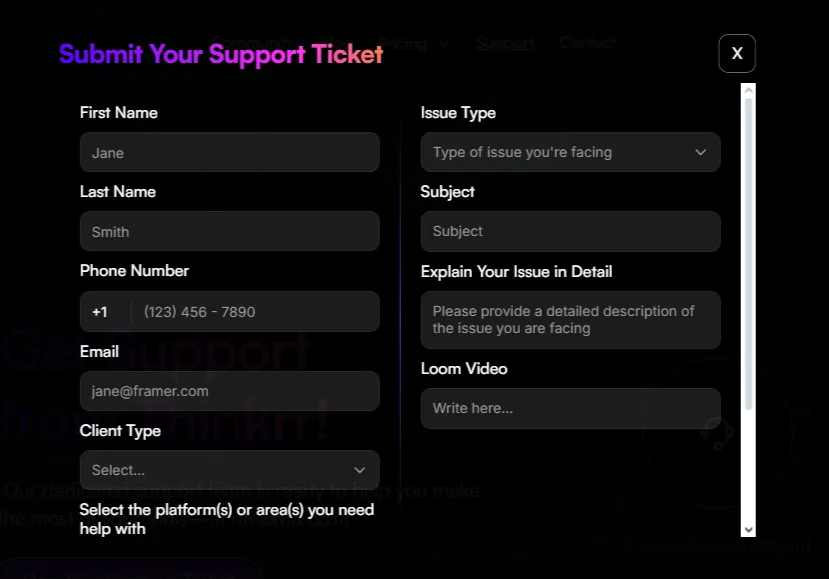 * **First Name & Last Name**
* **Phone Number**
* **Email Address**
* **Client Type** (e.g. Partner, Direct Client, Reseller)
* **Issue Type**, including:
* Feature Request
* Bug
* Cancellation
* Setup Issue
* Technical Issue
* General Feedback
* **Subject** (brief summary of the issue)
* **Detailed Description** (a clear explanation of the issue)
* **Loom Video** *(optional but recommended)* – screen recordings help our team understand your issue faster
***
### **FAQs & Troubleshooting**
You can expect an acknowledgment within a few minutes of submission. Our team typically responds within 1–2 business days, depending on the complexity of the issue.
Use the ticket system for:
* Billing and subscription questions
* Integration support
* Technical errors or bugs
* Setup or onboarding issues
* Feature requests
* Any issue requiring detailed troubleshooting
If you need to add more information, you can reply directly to the confirmation email you receive after submitting your ticket.
Currently, ticket status tracking is done via email. You will be notified of any updates or resolutions directly in your inbox.
***
For additional questions or guidance, try using our Virtual Support Agent! Available 24/7 to help resolve most issues quickly at thinkrr.ai/support.
If you still need assistance, visit our support site at help.thinkrr.ai and submit a Ticket or contact our team directly at [hello@thinkrr.ai](mailto:hello@thinkrr.ai).
* **First Name & Last Name**
* **Phone Number**
* **Email Address**
* **Client Type** (e.g. Partner, Direct Client, Reseller)
* **Issue Type**, including:
* Feature Request
* Bug
* Cancellation
* Setup Issue
* Technical Issue
* General Feedback
* **Subject** (brief summary of the issue)
* **Detailed Description** (a clear explanation of the issue)
* **Loom Video** *(optional but recommended)* – screen recordings help our team understand your issue faster
***
### **FAQs & Troubleshooting**
You can expect an acknowledgment within a few minutes of submission. Our team typically responds within 1–2 business days, depending on the complexity of the issue.
Use the ticket system for:
* Billing and subscription questions
* Integration support
* Technical errors or bugs
* Setup or onboarding issues
* Feature requests
* Any issue requiring detailed troubleshooting
If you need to add more information, you can reply directly to the confirmation email you receive after submitting your ticket.
Currently, ticket status tracking is done via email. You will be notified of any updates or resolutions directly in your inbox.
***
For additional questions or guidance, try using our Virtual Support Agent! Available 24/7 to help resolve most issues quickly at thinkrr.ai/support.
If you still need assistance, visit our support site at help.thinkrr.ai and submit a Ticket or contact our team directly at [hello@thinkrr.ai](mailto:hello@thinkrr.ai).