

Details
The Recruitment Outreach Scheduler is built for service providers aiming to connect with potential clients that may benefit from recruitment support. Whether the target is a company expanding its workforce, launching a new location, or undergoing a period of hiring turnover, this scenario positions your company as a valuable partner in helping streamline their talent acquisition process.
The AI agent initiates value-driven conversations that highlight your ability to assist with staffing, onboarding, or recruitment operations. It adapts its messaging based on the lead’s responses and is configured to schedule discovery calls with decision-makers.
While the framework supports outreach centered around hiring needs, it can be adapted for a variety of contexts where operational growth or support is needed — making it versatile for both direct clients and partner-style collaborations. The fields in this scenario are optimized for communicating business value and converting interest into scheduled calls efficiently.
Key Features
-
Purpose:
- Reach out to companies that may need recruitment support
- Offer assistance with hiring, onboarding, or staffing processes
- Book discovery or intake calls with hiring managers or HR teams
- Increase lead engagement with value-driven outreach
-
Customizable User Input Fields:
The fields in the Recruitment Outreach Scheduler scenario are grouped to help configure the caller identity, clarify the purpose of the meeting, and set the scheduling parameters. This setup ensures the AI can deliver a compelling pitch while aligning with the logistical preferences of your team.

Caller & Agent Setup
Fields used to define the company and representative making the outreach.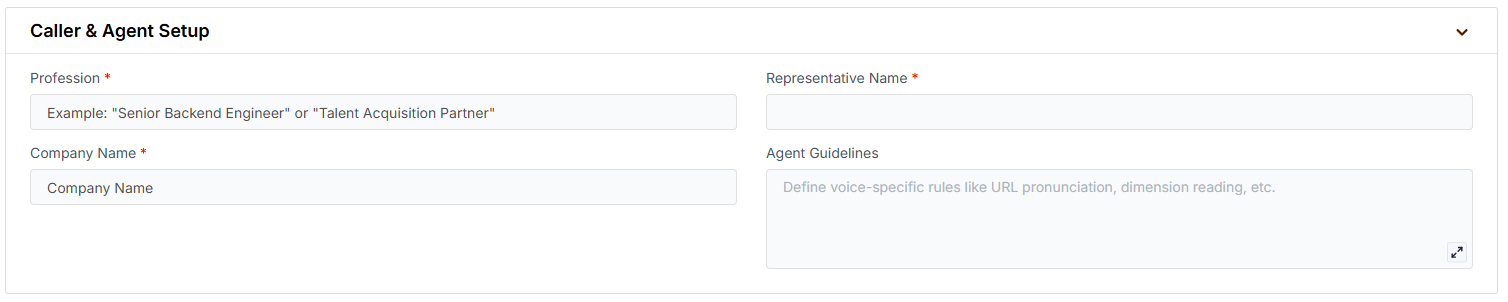
- Profession: The role of the representative the AI is referencing.
- Representative Name: The person the contact would speak with if a meeting is booked.
- Company Name: The agency or recruitment firm making the call.
- Agent Guidelines: Behavior constraints you can set to shape how the AI communicates (e.g. emphasis, or handling edge cases).
Meeting & Scheduling Details
Defines the purpose of the call and how the AI should handle meeting coordination.
- Reason for Meeting: Explains the intent of the outreach and how the meeting will benefit the contact.
- Default Meeting Duration (minutes): The standard length of the meeting.
- Alternative Meeting Duration (minutes): A shorter or longer duration that can be offered based on preference.
- Location of Meeting: Indicates whether the meeting will be virtual or in-person.
- Calendar: The connected calendar used for scheduling.
Voicemail
The message the AI will leave if the contact doesn’t answer the call.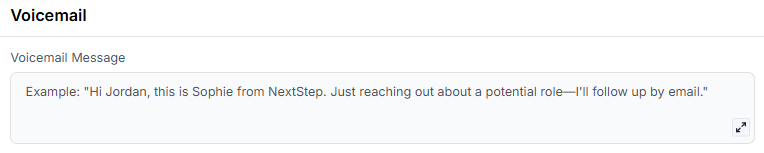
- Voicemail Message: Prewritten content the AI delivers when leaving a voicemail.
-
Objective:
- Present your recruitment support offering clearly and persuasively
- Build trust with prospective clients through consultative dialogue
- Convert interest into scheduled discovery calls for partnership opportunities
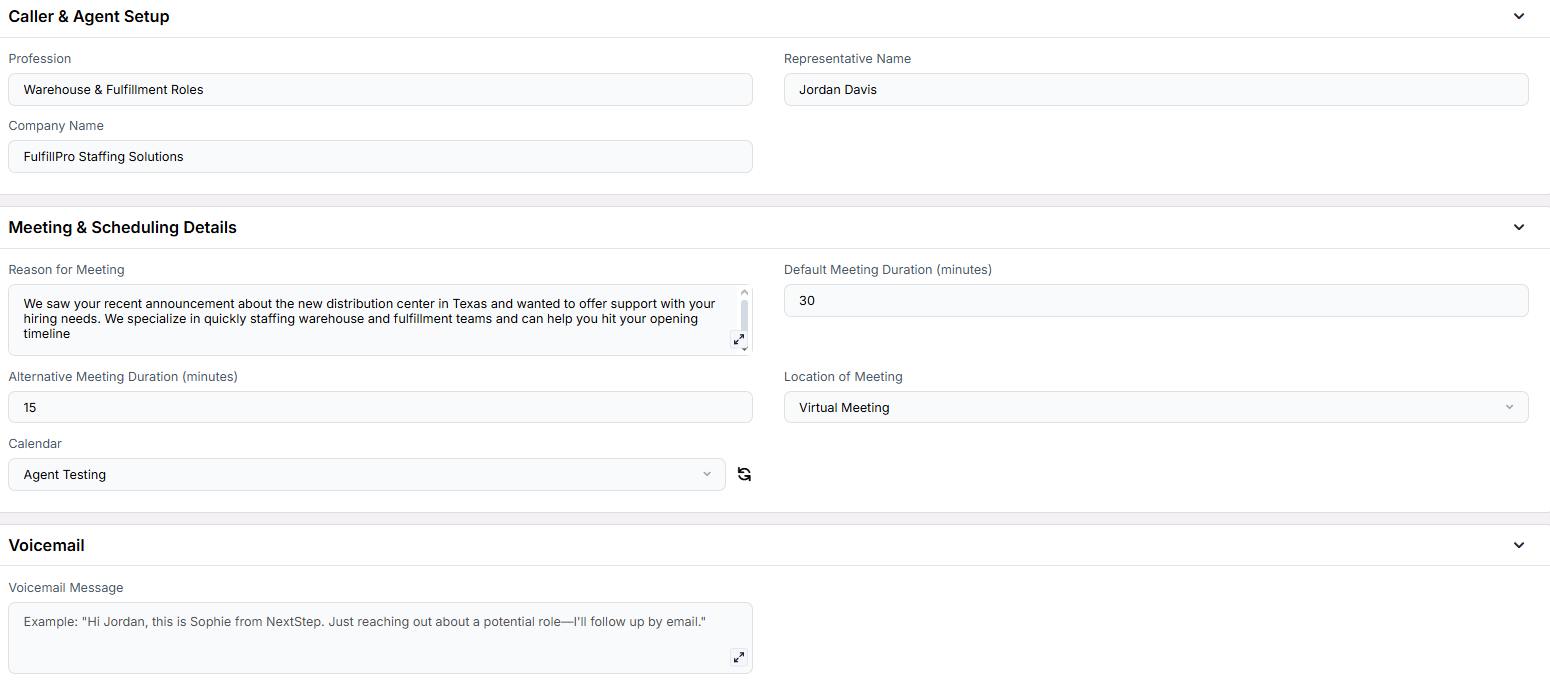
Example Configuration & Demo
Caller & Agent Setup
ProfessionMarketing Analyst
Representative Name
Jordan Reyes
Company Name
NovaData Insights
Meeting & Scheduling Details
Reason for MeetingWe noticed your company is growing and, given your background in SaaS marketing, thought our recruitment support could help you scale your team faster and more strategically.
Default Meeting Duration (minutes)
30
Alternative Meeting Duration (minutes)
15
Location of Meeting
Virtual Meeting
Calendar
Agent Testing
Voicemail
Voicemail MessageHi, this is Aisha from Nimbus Growth Solutions. We’re expanding our team and came across your profile—we think your experience could be a great match for a Product Marketing role we’re hiring for. If you’re open to learning more, feel free to book a time that works best using the link we sent. Looking forward to possibly chatting!
FAQs & Troubleshooting
General Questions
Can I use this for multiple outreach types?
Can I use this for multiple outreach types?
Yes, but we recommend focusing each campaign on a specific support type (e.g., hiring, onboarding) for clarity and conversion.
What happens if the company isn’t hiring?
What happens if the company isn’t hiring?
The AI will respond respectfully, offering to reconnect at a future time or asking if there’s another department in need of support.
How is this different from a sales-focused scheduler?
How is this different from a sales-focused scheduler?
This scenario focuses on recruitment assistance, not product or service sales. Messaging is framed around staffing needs rather than closing a product deal.
Can this be used for agencies that provide onboarding or training instead of staffing?
Can this be used for agencies that provide onboarding or training instead of staffing?
Yes. You can adapt the Reason for Meeting and Profession fields to reflect support areas like onboarding, HR process design, or training.
Configuration
Do I need to include every field?
Do I need to include every field?
No. Optional fields like Alternative Meeting Duration or Voicemail Message can be omitted depending on your outreach flow.
Can different campaigns target different business types?
Can different campaigns target different business types?
Absolutely. Each Campaign can have unique input values for Profession, Reason for Meeting, or other fields to reflect the target client type.
Does the AI adapt if the client asks questions about the offering?
Does the AI adapt if the client asks questions about the offering?
Yes. If you’ve included relevant information in fields like Key Information, the AI can respond naturally and contextually.
Usage and Results
What happens if a lead is interested?
What happens if a lead is interested?
The AI will proceed to schedule a call using your connected calendar tool, following up with SMS or email confirmation if configured.
Is this suited for staffing firms or internal HR tools?
Is this suited for staffing firms or internal HR tools?
It works for both. As long as your goal is to help other businesses improve hiring processes, this scenario is a strong fit.
How should I track results?
How should I track results?
Use thinkrr’s Campaign Analytics and Call Logs to track scheduled meetings, sentiment scores, and conversation outcomes.
For additional questions or guidance, try using our Virtual Support Agent! Available 24/7 to help resolve most issues quickly at thinkrr.ai/support. If you still need assistance, visit our support site at help.thinkrr.ai and submit a Ticket or contact our team directly at hello@thinkrr.ai.