

Overview
Whether you’re using the thinkrr app directly or integrating with GHL, voice and language customization ensures your AI Agent speaks with the tone, personality, and language best suited to your audience. From accents to supported languages, thinkrr provides extensive configuration options for both outbound and inbound AI agents.Outbound Calling
thinkrr
thinkrr
1
Start by creating a Project, which is required for any outbound calling. Refer to the Projects & Scenarios documentation for more information on creating projects.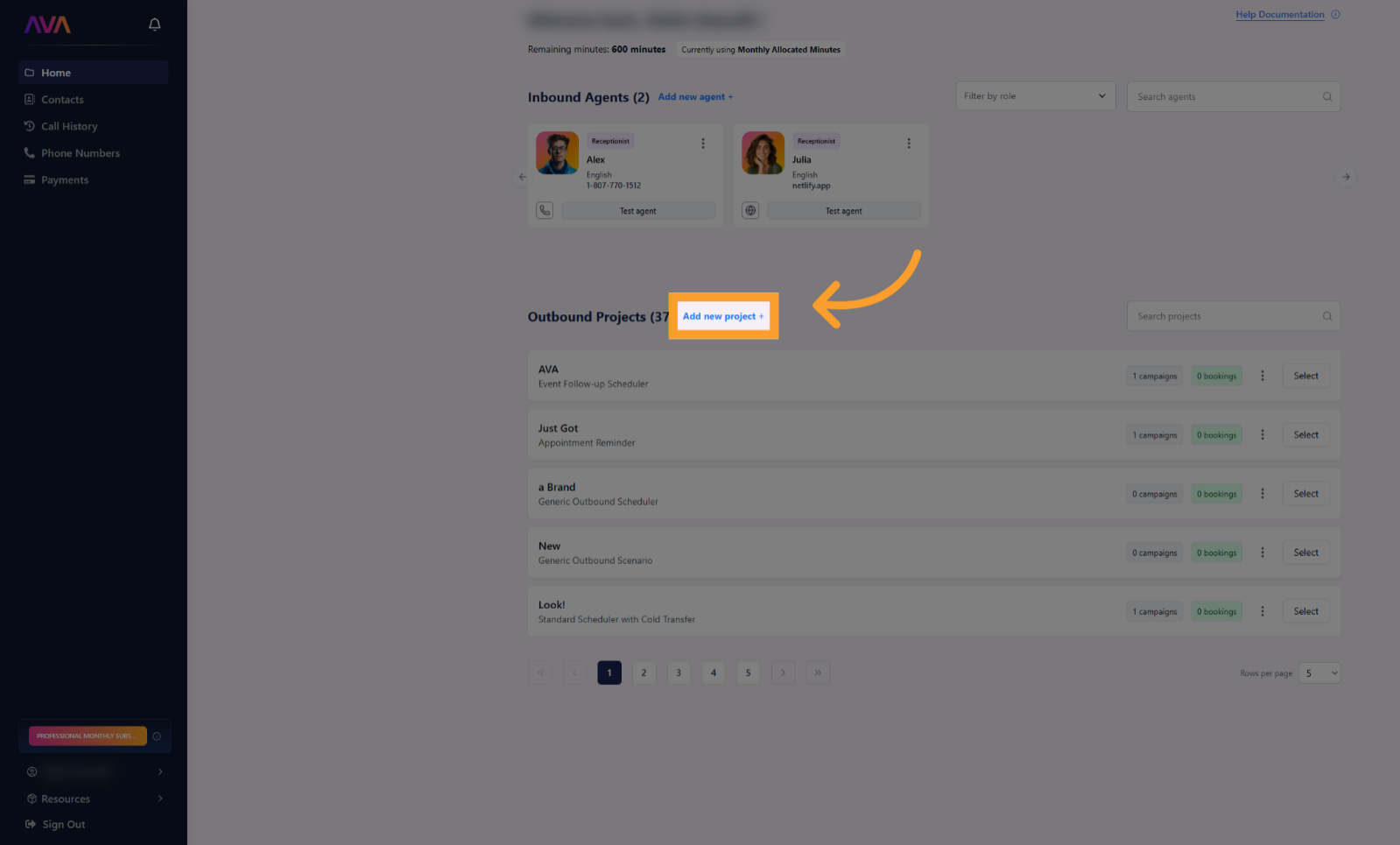
2
Once your Project is set, create a Campaign where you define the AI Agent responsible for the outbound communication. Think of this as assigning a task to a virtual employee, including contact lists and call styles. See Campaign Management for more.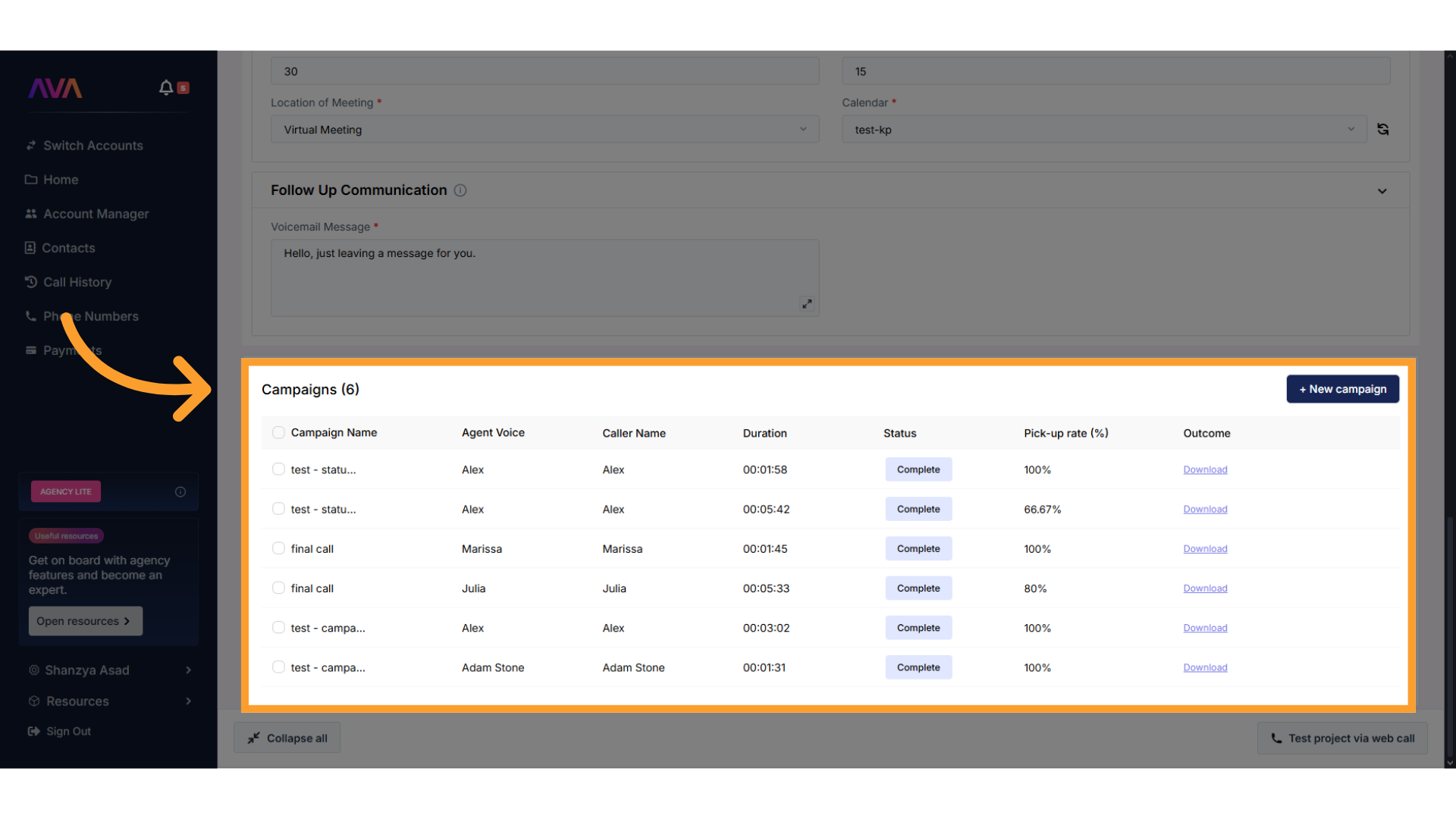
3
When adding a campaign or editing an existing one, open the Campaign Settings tab. Configure: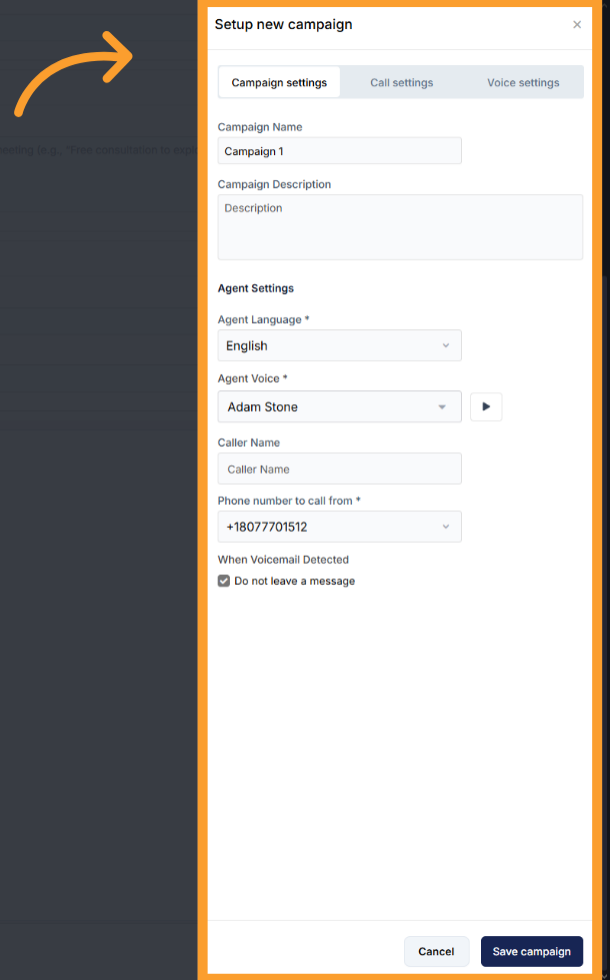
- Campaign Name and Campaign Description
- Agent Settings:
- Agent Language
- Agent Voice (click Play to preview)
- Caller Name
- Phone number to call from
- When Voicemail Detected behavior
4
Click Test Campaign to preview how your AI Agent sounds and behaves before launching live calls.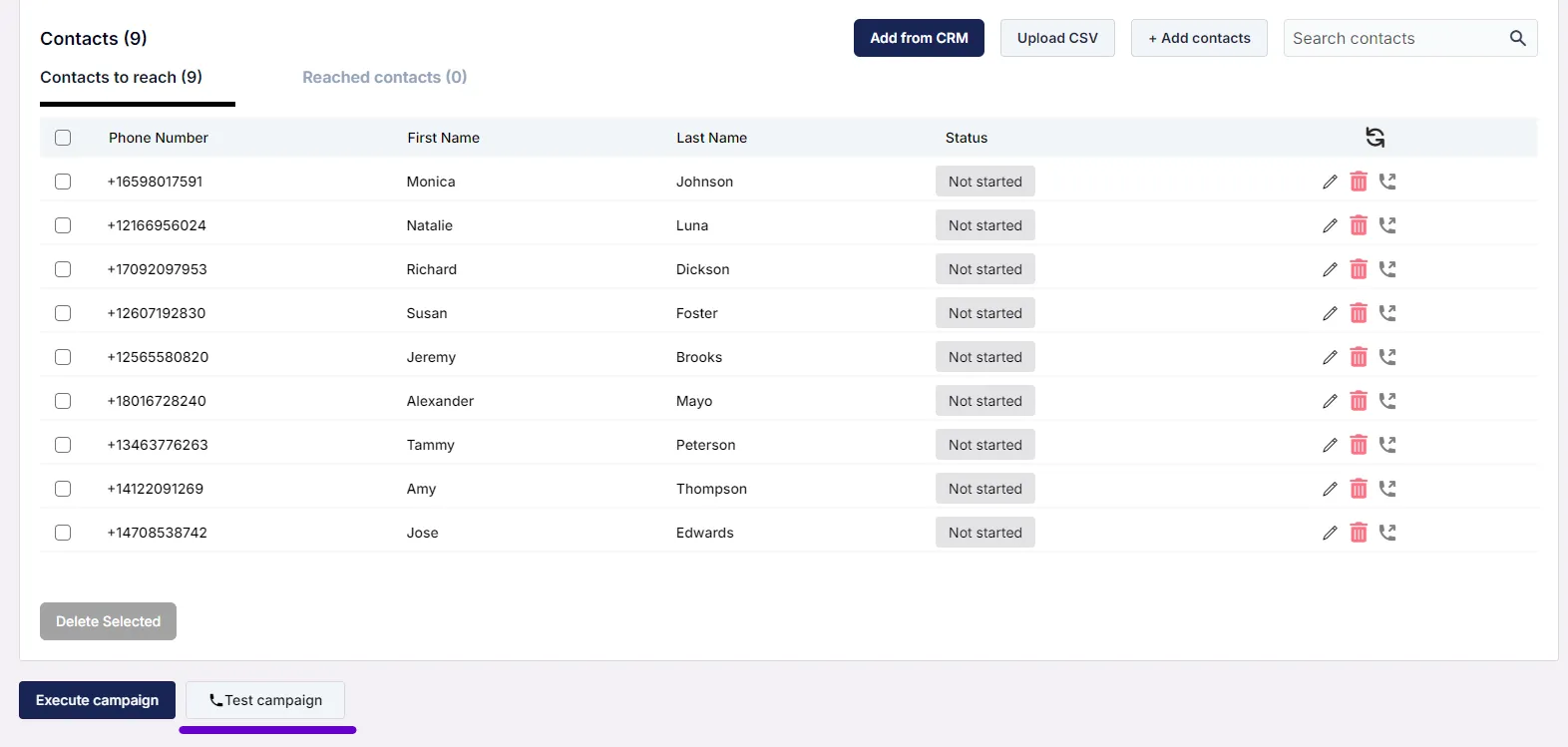
5
You can revisit Campaign Settings at any time via the “Settings” button to modify voice, language, or other preferences.
GHL
GHL
When using thinkrr within GHL workflows, voice and language settings are found under the “AI Assistant” label in the thinkrr Voice AI Dynamic Outbound Call action.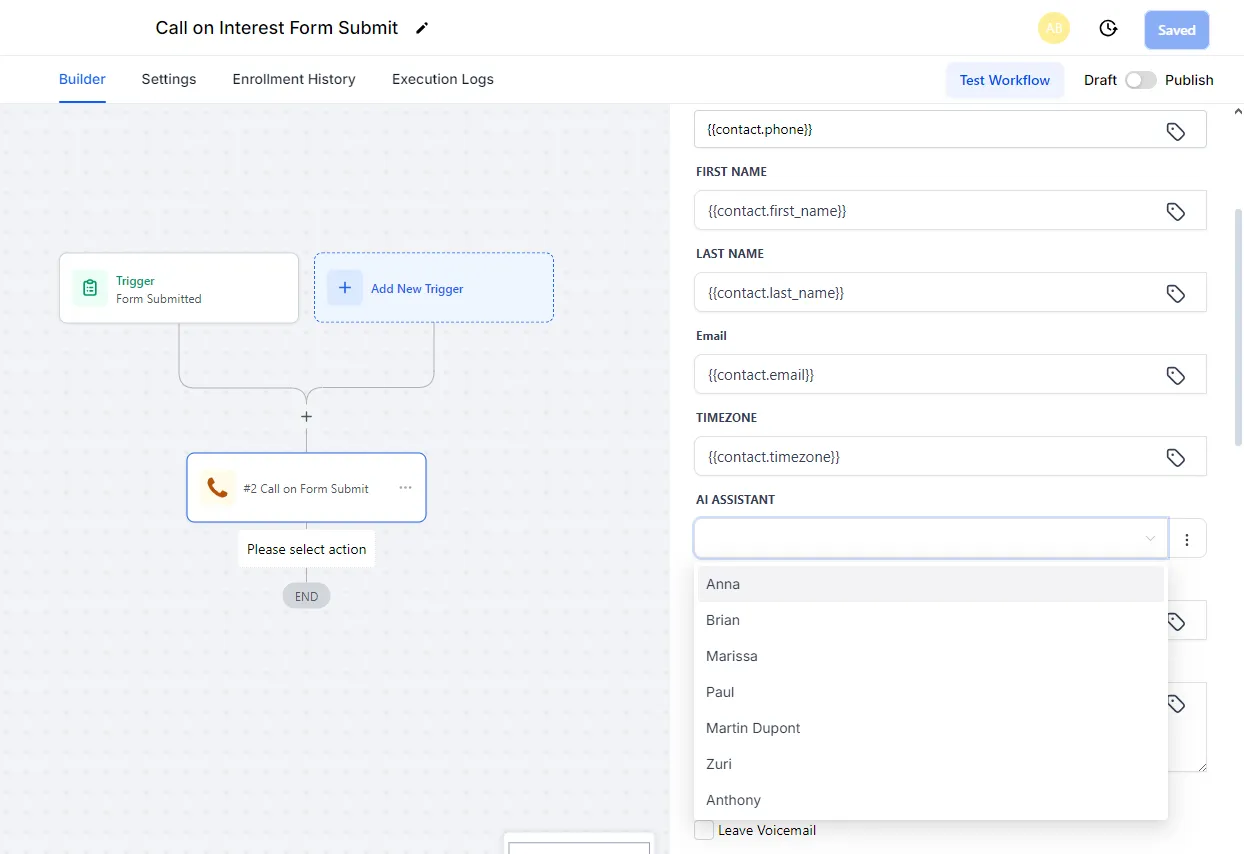
- Voice selection uses consistent agent names across thinkrr and GHL for cross-platform compatibility.
- Use the AI Assistant Language Dropdown to select a supported language.
- Test your voice and configuration first in thinkrr, as audio previews are not available in GHL.
Inbound Calling
thinkrr
thinkrr
1
From the Home screen, click “Add new agent +”.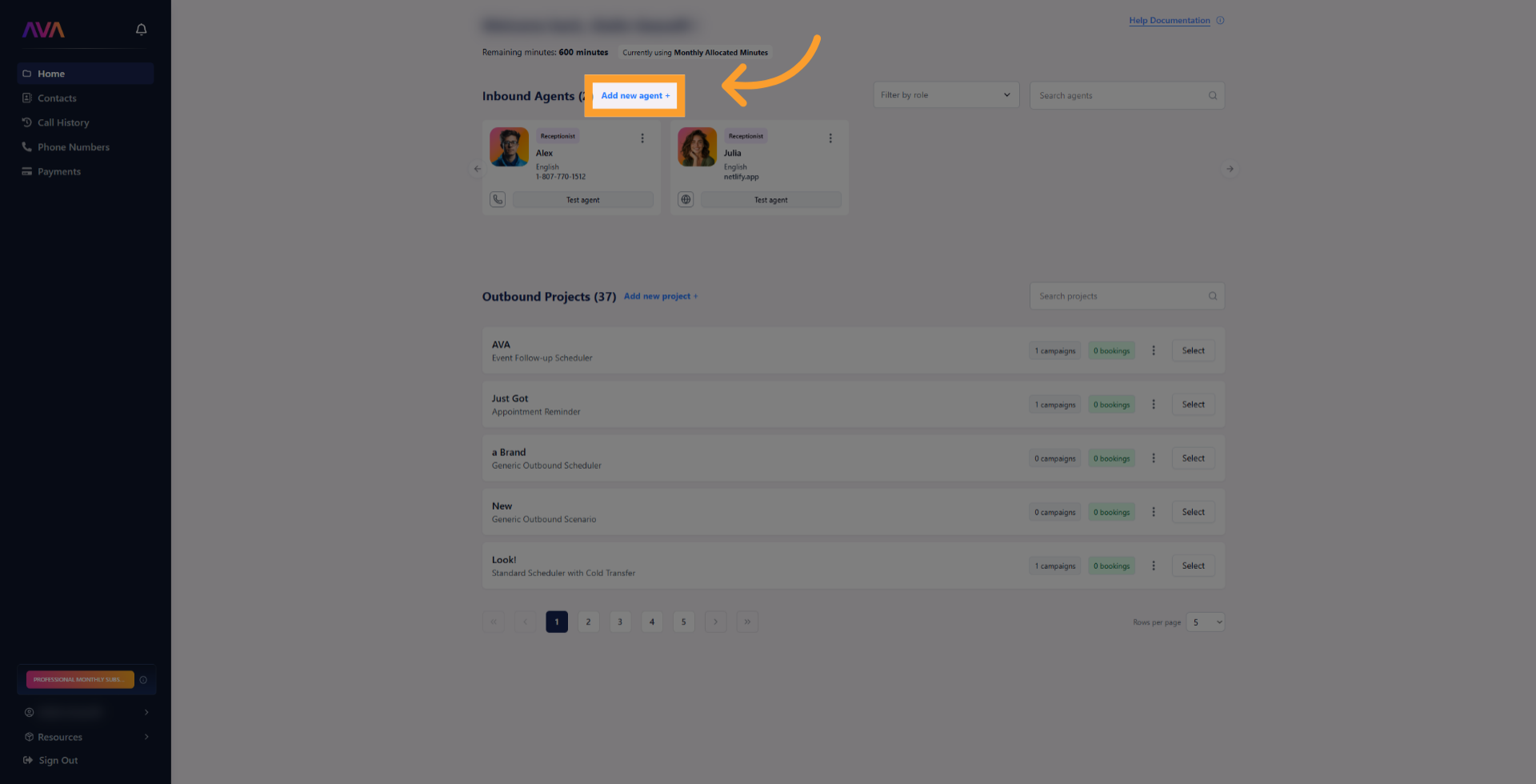
2
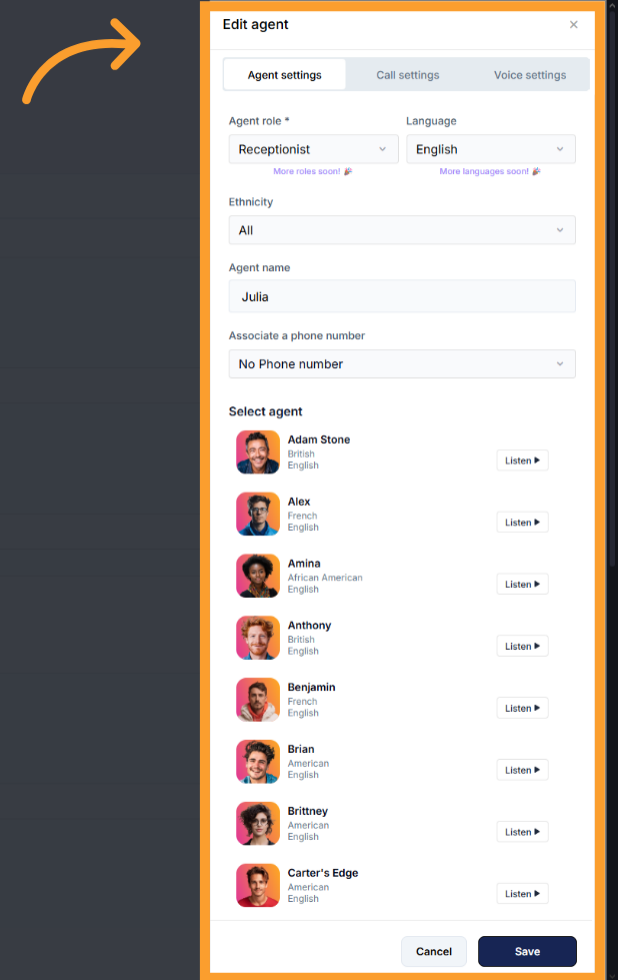
Define the following in the Agent Settings tab:
- Role (Receptionist/Sales Coach)
- Language
- **Dialect **– Defines agent’s accent
- Agent Name
- Associated phone number
-
Voice (click Play to preview available options)
3
Click Save and Test Agent to initiate a web call and interact with the agent.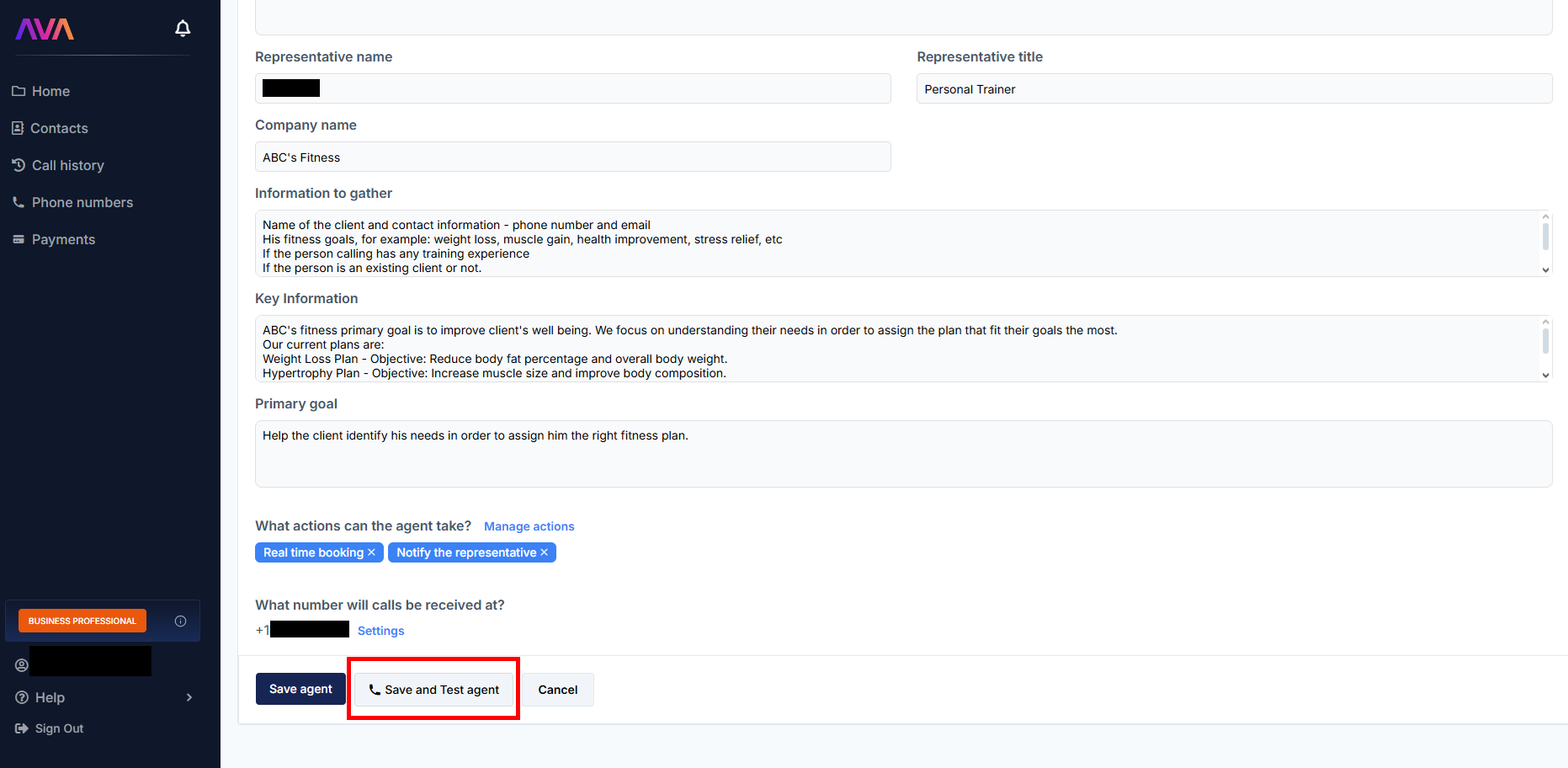
4
To edit later, go to the Active Agents section and click ‘Edit’ from the three dots menu or simply click on the agent’s card.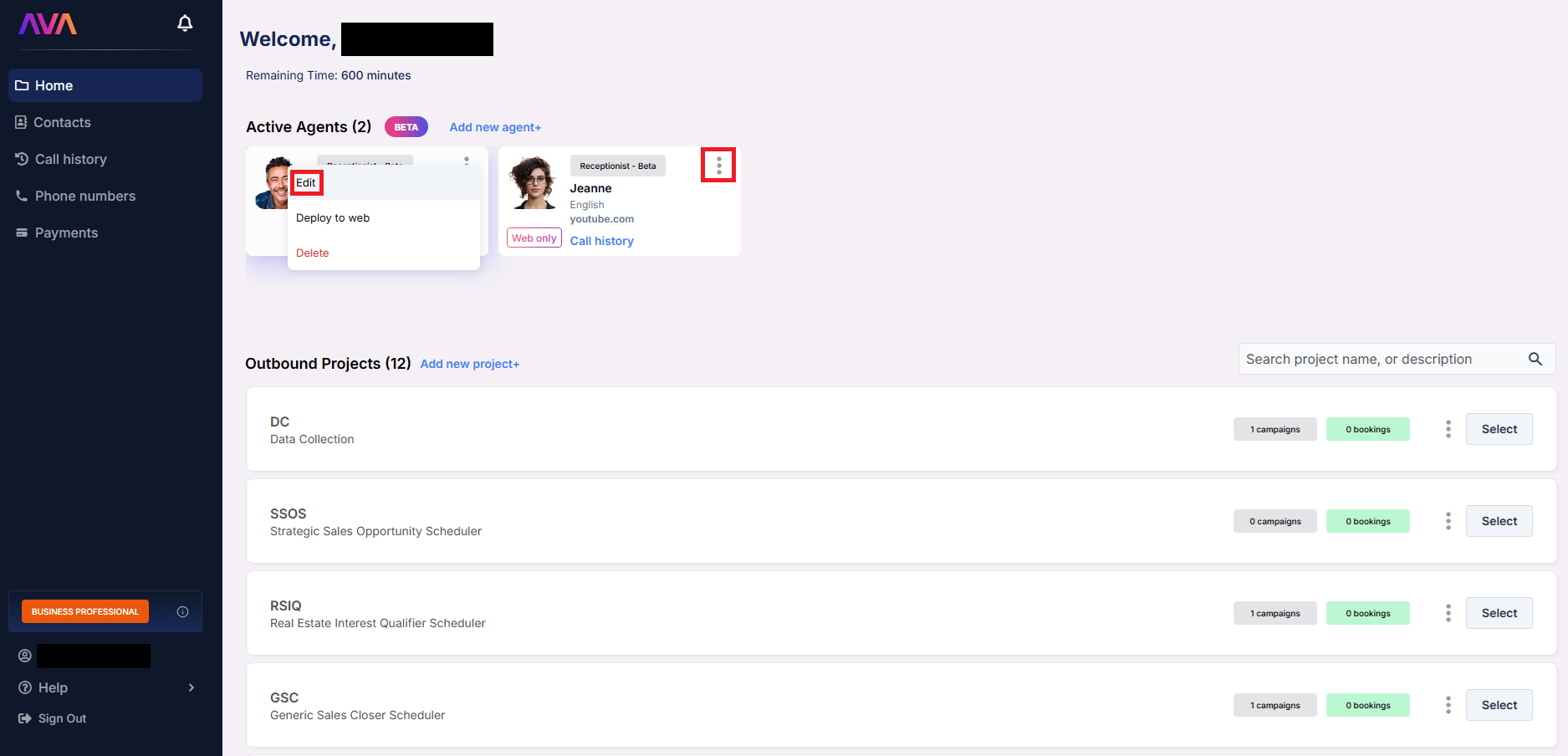
GHL
GHL
- Configuration for inbound agents is minimal in GHL.
- All voice and language settings must be configured in thinkrr before linking.
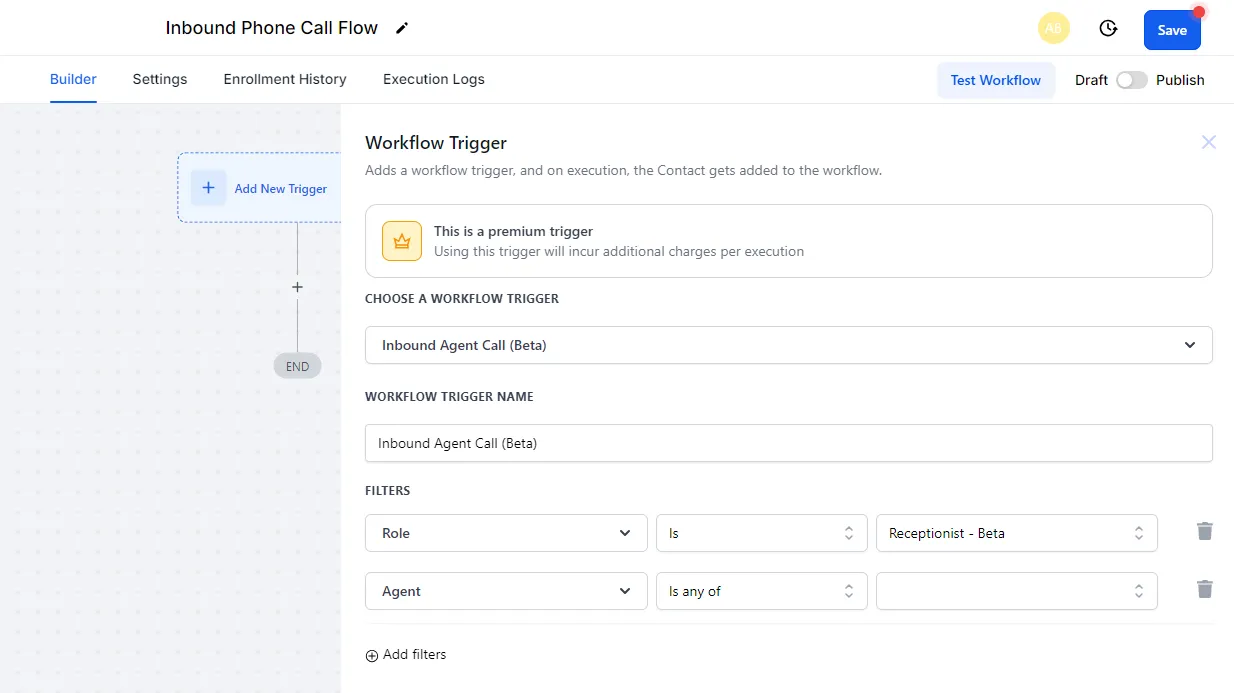
- In GHL, use the thinkrr Voice AI Inbound Agent Call trigger, which allows:
- Selecting the Agent Role (e.g., Receptionist)
-
Choosing the Assigned Agent
Supported Languages
The following languages are supported:- English/Spanish (Bilingual) – Allows the agent to understand and respond in both English and Spanish during the same conversation.
- English
- Spanish (Mexico)
- Spanish (Spain)
- French
- Portuguese (Brazil)
- Portuguese (Portugal)
- German
- Russian
- Chinese
- Hindi
- Dutch
- Italian
- Korean
- Japanese
- Swedish
- Norwegian
- Polish
- Turkish
- Vietnamese
Note: The Language dropdown determines which agents appear in the list. Agents assigned to a bilingual option can understand and respond in both languages during a single conversation.
Voice Selection
You can choose from over 100 unique voice agents, including male and female voices with a variety of regional accents. These agents are optimized for:- ✅ Clear pronunciation across supported languages
- ✅ Natural delivery and pacing
- ✅ Sentiment-aware response handling
- English – 43 agents
- Spanish – 7 agents
- Portuguese – 5 agents
- Chinese – 4 agents
- Italian – 4 agents
- Korean – 4 agents
- Polish – 4 agents
- Russian – 4 agents
- Turkish – 4 agents
- Vietnamese – 4 agents
- Hindi – 3 agents
- Japanese – 4 agents
- Swedish – 2 agents
- Norwegian – 2 agents
- Dutch – 2 agents
- French – 2 agents
- German – 2 agents
Transcripts and Summaries
- Call Transcripts: Returned in the call’s spoken language. Default view is English.
- Summaries: Provided in English for easy review regardless of call language.
FAQs & Troubleshooting
Audio Samples and Testing
Can I play a sample of the AI agent's voice in the GHL plugin?
Can I play a sample of the AI agent's voice in the GHL plugin?
No. Audio samples are only available in the main thinkrr app. Use the Test Campaign feature in thinkrr to preview voices.
Why is the sample audio sometimes only in English even when I select a different language?
Why is the sample audio sometimes only in English even when I select a different language?
Some sample audios may be limited to English, but live calls use the configured language and voice.
Reconfiguration and Testing
Can I change the AI agent’s voice or language after saving the campaign or agent?
Can I change the AI agent’s voice or language after saving the campaign or agent?
Yes. Reopen the Campaign or Agent settings in thinkrr to make changes, then re-test before relaunching.
How do I make sure the AI agent voice and language are appropriate for my audience?
How do I make sure the AI agent voice and language are appropriate for my audience?
Use the Test Campaign (outbound) or Test Agent (inbound) feature to simulate live interactions.
Language Support
Can an AI agent speak multiple languages in one conversation?
Can an AI agent speak multiple languages in one conversation?
Yes. Agents configured with a bilingual language option can switch naturally between supported languages during a single conversation.
How do I run campaigns in multiple languages?
How do I run campaigns in multiple languages?
Create separate agents or campaigns for each language you want to support.
Can I customize inbound agent voices or languages directly in GHL?
Can I customize inbound agent voices or languages directly in GHL?
No. All voice and language customizations for inbound agents must be done within the thinkrr app.
For additional questions or guidance, try using our Virtual Support Agent! Available 24/7 to help resolve most issues quickly at thinkrr.ai/support. If you still need assistance, visit our support site at help.thinkrr.ai and submit a Ticket or contact our team directly at hello@thinkrr.ai.